
5. Controlling display via “Restrict access”
Section outline
-
To control the display of, for example, documents available in several languages, so-called restrictions can be used. For most course elements, these can be configured in the respective settings:
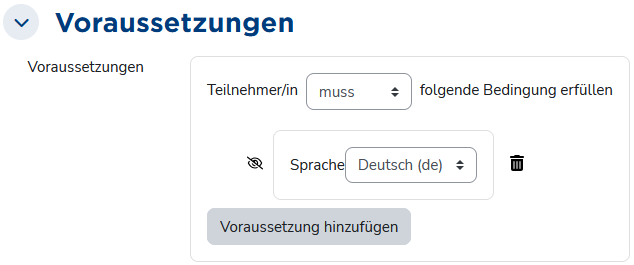
Configuration of restrictions In the course (when edit mode is turned on), it then looks like this:
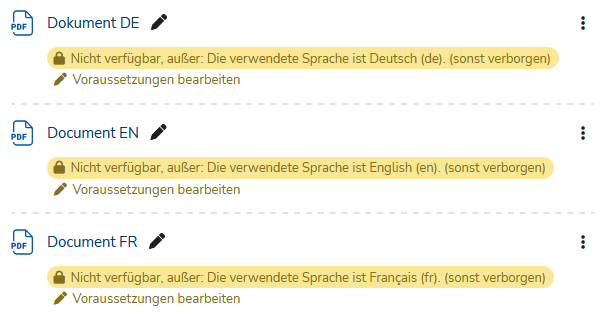
View for users with editing permissions when edit mode is enabled The setting “otherwise hidden” (crossed-out eye icon) makes activities and materials whose restrictions are not met completely invisible. You can test that here: