
1. Fundamentals
Section outline
-
Moodle can basically handle multiple languages. So-called “language packs” are used for this purpose.
However, these language packs only apply to texts that are an integral part of the learning platform, such as menu labels or automatic texts. And their display depends on several settings. I will try to break all of this down in this course so that all users are able to create multilingual posts, content, or even entire courses:-
1.1 Available language packs
A language pack contains all the texts that are used by default on a “blank” Moodle site: These include, for example, the menu items "Home" and “My courses,” or the automatic naming of buttons, e.g., “Add section,” and much more.
Three languages are currently available: German, English, and French.In the English language pack, the above examples are called "Home", "My Courses" and "Add section", and in French « Accueil », « Mes cours » and « Ajouter une section » :
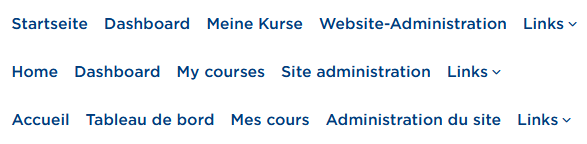
Primary navigation of the interface in three languages 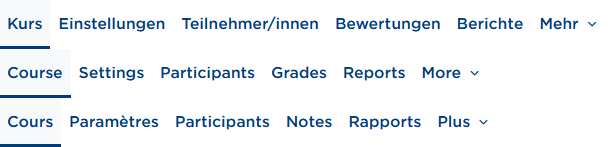
Secondary navigation of the interface in three languages 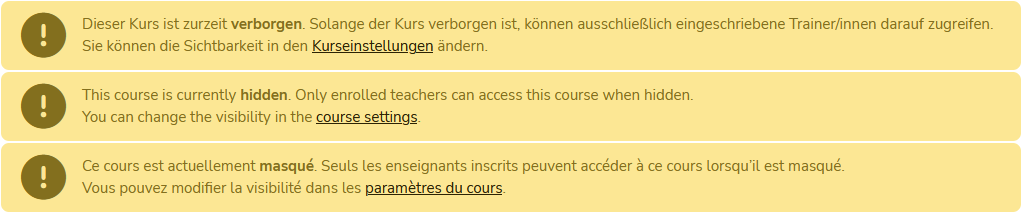
Example note on course visibility in three languages These language packs can, of course, only cover standard texts.
User-generated texts are (unfortunately) not translated automatically. The corresponding options for this are described in sections 2 to 7. -
1.2 Language selection for the user interface
All users can change the language of the Moodle interface. Depending on whether you’re logged in or not, it works slightly differently.
Not logged in:
For visitors who aren’t logged in, there’s a button in the header at the top right that lets you switch the language. On mobile devices (right), it may look a bit different: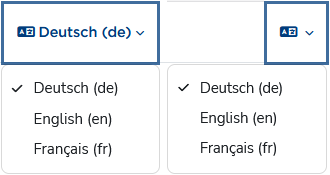
Language switcher in the header Logged in:
After a successful login, the language selection moves into the user menu: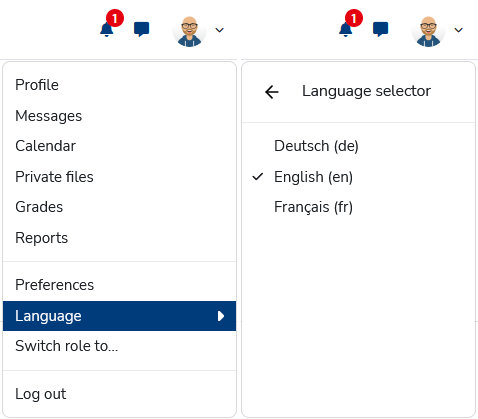
Switch language via the user menu You can test how it works in this course, because it’s available in three languages.
This language selection affects all texts that have multiple language versions. If there’s no translated text available in the target language you chose, the default language (here: German) is shown. -
1.3 Language settings in the user profile
Besides the interface setting, there’s a user-specific preference you can set in your own settings: At https://moodle.thga.de/user/language.php or via User menu > Settings > Select language, you can set a preferred language.
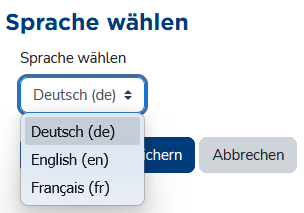
Profile setting for preferred language If no language is enforced (see section 1.4), Moodle is displayed in the preferred language—in short: your personal language preference overrides the interface setting from section 1.2.
-
1.5 Course language settings
Of course, teachers should be able to decide the language of their own courses themselves. There’s a course setting for that, which people with editing permissions can find under Settings > Appearance > Force language.
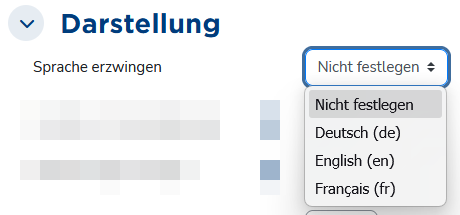
Course language setting A language enforced via the course setting overrides the user preference (section 1.3) and the interface setting (section 1.2).
-
1.6 How the different language settings relate
- By default, Moodle is displayed in German.
- The interface language setting (section 1.2) is available to every visitor—whether they have an account or not, and whether they’re logged in or not—so you can generally view the site in a language different from the default.
If no course setting is applied, courses are also displayed in the selected language, as long as texts are available in that language. - The user preference (section 1.3) is basically a permanent version of the interface setting and overrides the default (here: DE). This means the Moodle interface is always shown in the user’s preferred language. Since the setting is user-specific, it only applies to logged-in users.
This setting also generally applies to all courses you open, as long as texts exist in the target language and no course language is enforced. - At this point—if no interface language has been chosen manually and no user preference has been set—Moodle tries to determine a “matching” language via the browser settings.
- A course language set by the teacher, for example, is not affected by any of the other options. It would be kind of pointless if an English course that is meant to be run exclusively in English for didactic reasons were suddenly displayed in German or French because of a user preference or interface setting.
The following figure is intended to illustrate the relationship:
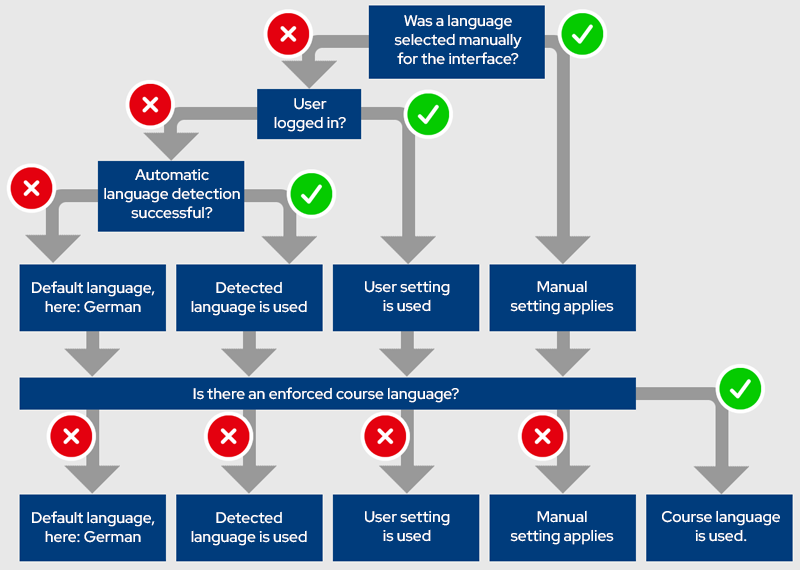
Schematic diagram showing which language setting applies when (figure based on this template)
-