
3. Naming courses, sections, and content
Section outline
-
Besides the text fields edited with the editor, there are of course many other text elements. For example, course titles, section names, and activity names are entered in input fields without an editor. Both methods for storing multiple languages also work there.
For example, this course is called
17. {m lang de}Mehrsprachige Inhalte{m lang}{m lang en}Multilingual content{m lang}{m lang fr}Contenus multilingues{m lang}
Alternatively, the “older” technique would also work, and the title could be written as
17. <span class="multilang" lang="de">Mehrsprachige Inhalte</span><span class="multilang" lang="en">Multilingual content</span><span class="multilang" lang="fr">Contenus multilingues</span>
However, that version is a bit less handy, and there is a greater risk of hitting the character limit of the input fields because it is simply longer. The numbering (here: "17." + [space]) can be left outside, by the way, since it applies to all languages.
The same works for sections and for naming materials or activities:

Multilingual tagging also works for course names ... 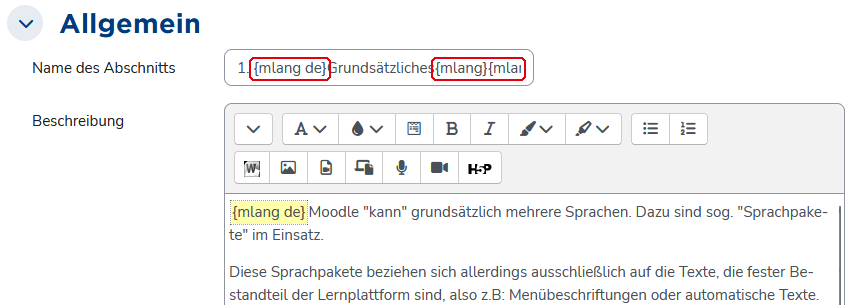
... as well as for section names ... 
... and for activity or material names.